Getting Started
Features of your Cambridge Aspire Account
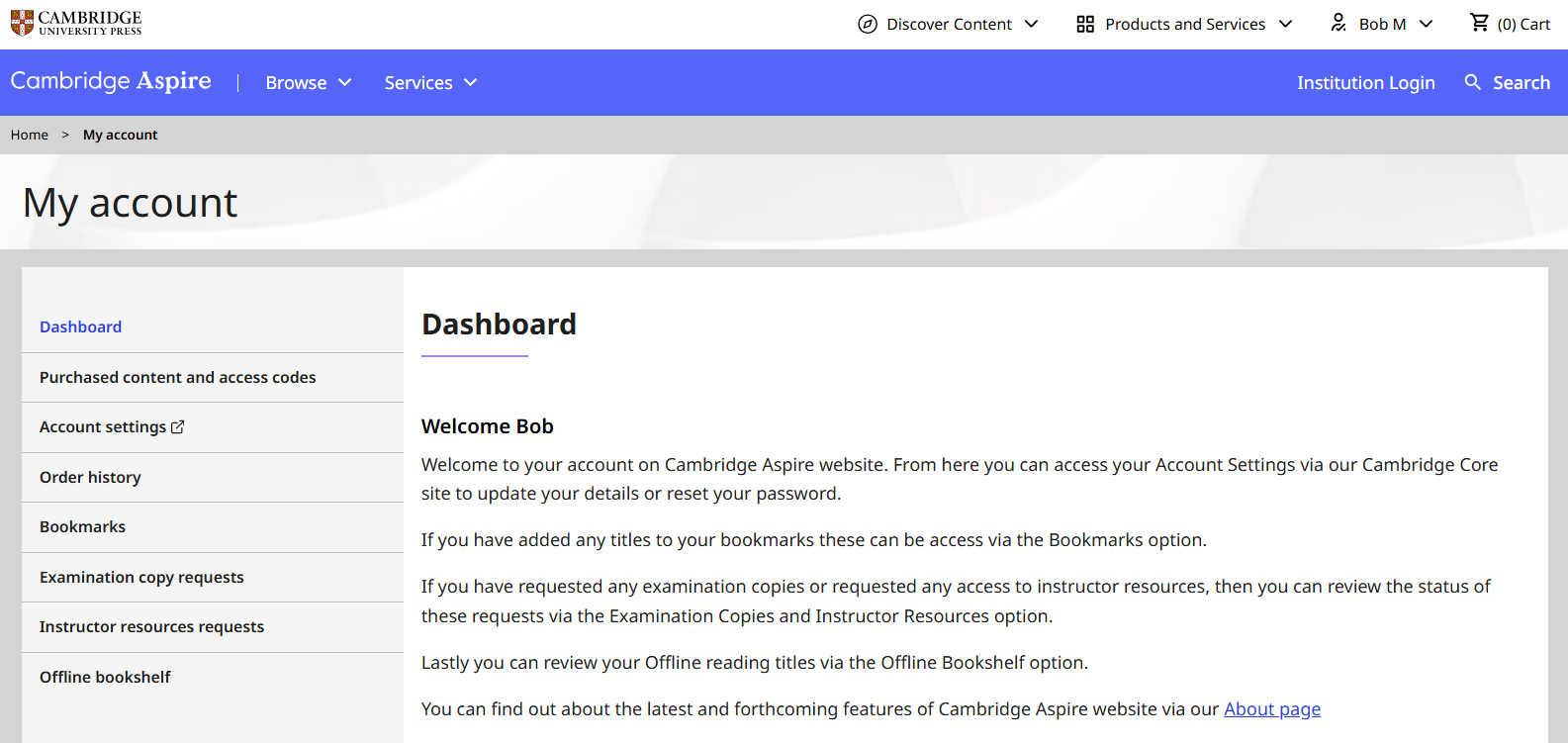
Once you have registered and logged in, you will be able to access your account details through the My Account dashboard area, where you can manage:
- Examination copy requests (Registered instructors only)
- Locked resource requests (Registered instructors only)
- Your offline bookshelf
- Your bookmarks
- Your order history
- Access codes that you have used
- Account settings
Once you have registered and logged in, you will be able to access your account details through the My Account dashboard area, where you can manage:
- Examination copy requests (Registered instructors only)
- Locked resource requests (Registered instructors only)
- Your offline bookshelf
- Your bookmarks
- Your order history
- Access codes that you have used
- Account settings
Cambridge Aspire Homepage
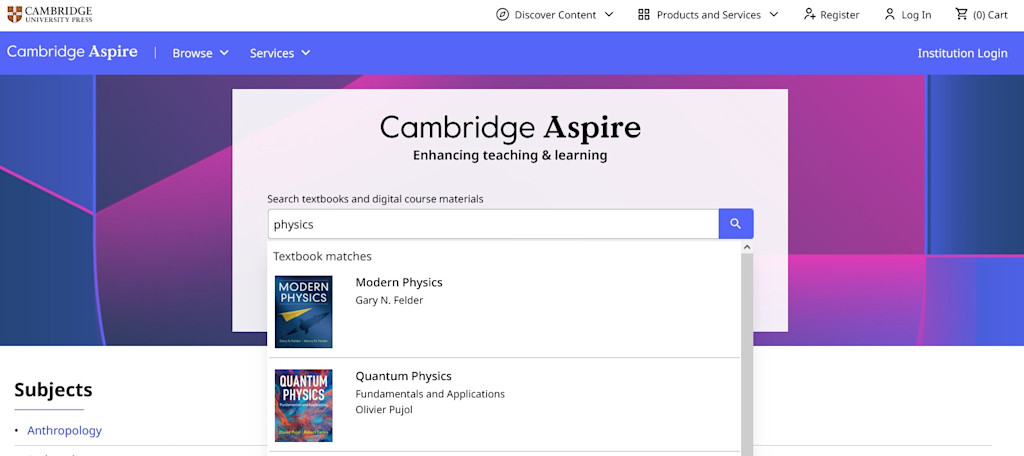
From the homepage you can use the search function to explore our range of products. You can also browse by subject from the list below the search box.
You can find information pages for Instructors, Librarians, Students and Authors in the top menu under Services.
To perform a search on the Cambridge Aspire homepage:
- Enter your search term(s) in the main search box and click the magnifying glass icon to view your results. Predictive search has been enabled on the search box and will show a list of items that match your search term.
- Predictive search also works by author name. You can enter a name and see the selection of titles authored appear under the search bar.
- Click on the predictive search item to proceed to that specific item's landing page, or press enter or click on the search icon to proceed to search results page.
From the homepage you can use the search function to explore our range of products. You can also browse by subject from the list below the search box.
You can find information pages for Instructors, Librarians, Students and Authors in the top menu under Services.
To perform a search on the Cambridge Aspire homepage:
- Enter your search term(s) in the main search box and click the magnifying glass icon to view your results. Predictive search has been enabled on the search box and will show a list of items that match your search term.
- Predictive search also works by author name. You can enter a name and see the selection of titles authored appear under the search bar.
- Click on the predictive search item to proceed to that specific item's landing page, or press enter or click on the search icon to proceed to search results page.
Book Landing Pages
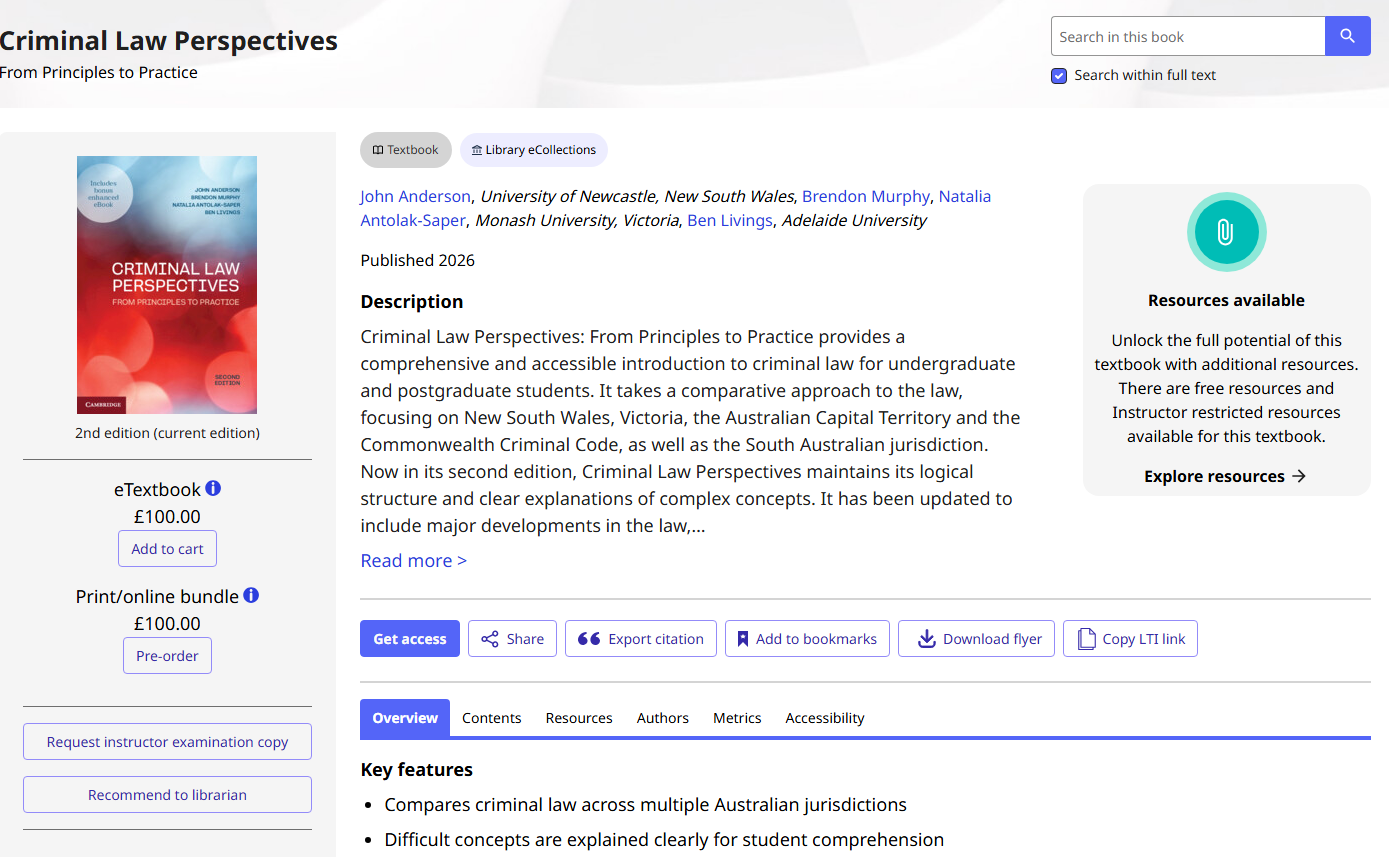
By selecting a specific book from the search results, you will be taken to its landing page.
Here, you can find information about the book, including:
- Description of the title
- Overview of the title
- New edition information (if available/relevant)
- Table of contents
- Author details
- Reviews
- Awards
- Metadata
- Pricing information for physical and digital purchase (where available)
The landing page also features the Get Access button (under the main book description). If you have access to a book on the Cambridge Aspire website, this button will change to a Read Online button, allowing you to start reading the book. See the next sections for more detail.
By selecting a specific book from the search results, you will be taken to its landing page.
Here, you can find information about the book, including:
- Description of the title
- Overview of the title
- New edition information (if available/relevant)
- Table of contents
- Author details
- Reviews
- Awards
- Metadata
- Pricing information for physical and digital purchase (where available)
The landing page also features the Get Access button (under the main book description). If you have access to a book on the Cambridge Aspire website, this button will change to a Read Online button, allowing you to start reading the book. See the next sections for more detail.
Access books on Cambridge Aspire
To access books in your institution's Cambridge Aspire subscription, first log in to your university’s library system in the usual way (via your institution’s IP authentication, or via login options such as Open Athens, Shibboleth, Raven).
Please note: If you have purchased individual titles yourself, you will only need to log in using your personal account details
If you are not already logged in to the Cambridge Aspire website, open a new tab and go to the Cambridge login page, and enter the login details that you set up when you registered. Register on this page if you have not yet created an account.
To read a book, click the Read Online button on the book landing page, and if your institution’s subscription includes access to this book, this will automatically take you into the Cambridge Spiral eReader. When accessing via the institutional subscription, unlimited users can read a book in the collection at the same time.
Next section: How to Start Reading Books